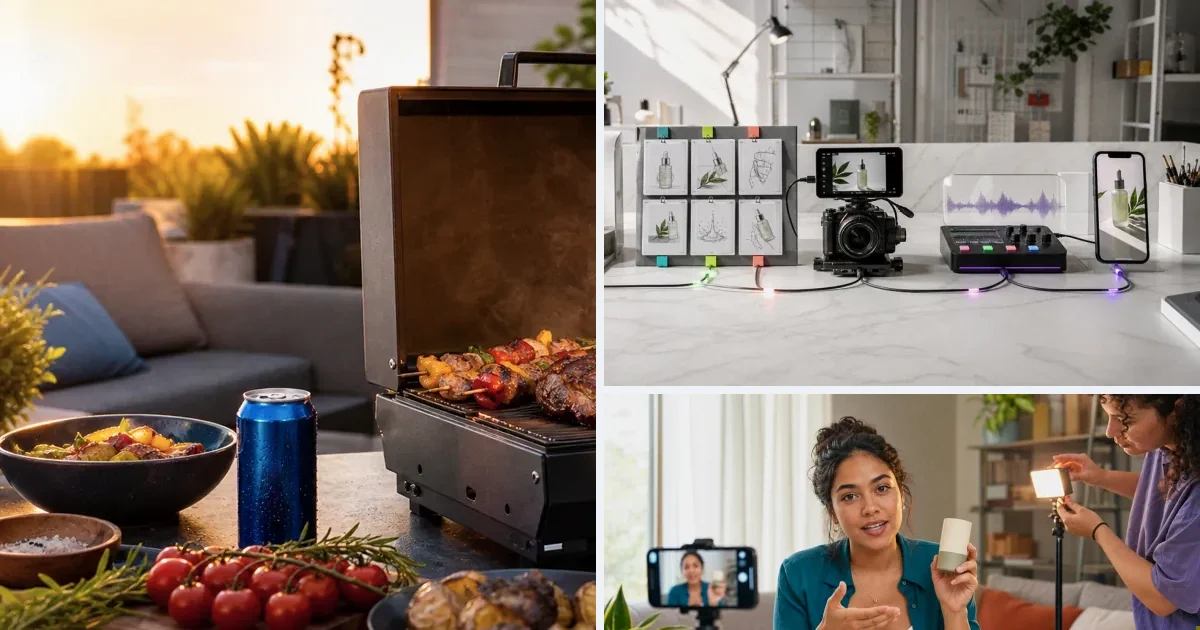
Most brands use AI video tools like they used Canva in 2019: open, make something, export, start over next week. That works until the ad account needs 20 variants a month — then rebuilding context every session becomes the bottleneck. A reusable system keeps the product imported once, the brief attached, avatars and styles connected, and workflows saved so the next variant is an adjustment, not a rebuild. This guide walks the four layers and how to set them up in v4v.
Why "Reusable" Is the Part Most Brands Miss
Most DTC brands use AI video tools the same way they used Canva in 2019. Open the tool, make something, export it, close the tab. Start over next week.
That works fine until your ad account needs 20 creative variants a month. Then it falls apart.
The real creative bottleneck for performance marketers isn't access to AI models — it's rebuild cost. Every new ad means re-uploading product images, re-selecting an avatar, re-writing a brief, re-picking a style. The generation is fast. The setup is what kills you.
A reusable AI video ad system solves the setup problem. You build the creative infrastructure once, and every ad after that starts from a connected state instead of a blank one.
This article covers how to build that system, what it actually requires, and how to run it without a video editor or a subscription.
What a Reusable AI Video Ad System Actually Looks Like
A reusable system has three layers. Most tools only give you one.
Layer 1: Product Data That Feeds Every Ad
The foundation is structured product data — name, visuals, key claims, format requirements. When that data gets pulled automatically from a product URL and stored, every creative brief starts from real information rather than a blank prompt.
Without this layer, you're writing briefs manually for every SKU. That's not a system. It's a workflow with extra steps.
Layer 2: A Persistent Creative Library
Avatars, styles, and assets need to survive between sessions. If you pick an avatar and it's gone after export, you're rebuilding your brand identity every time you generate something new.
A persistent creative library means your avatar is already attached. Your brand style is already selected. Your product visuals are already there. The next ad starts at step four, not step one.
Layer 3: Automated Pipelines, Not One-Off Exports
This is where the system becomes scalable. A workflow takes a product input and runs a defined sequence of steps automatically. One pipeline can produce ads across multiple SKUs without manual intervention at each stage.
Agencies managing 10 brand clients need this. DTC brands with seasonal launches need it too.
Building the System Step by Step
Step 1: Anchor the System to a Product URL
Start at v4v.ai. Paste your product URL into the Product Video Ads flow. The platform pulls product data, builds a creative brief, and connects your assets — automatically.
You're not writing a prompt from scratch. The brief builds itself from the product page. That's the first time-save, and it compounds across every SKU you add later.
Step 2: Lock In Your Avatars, Styles, and Assets
Before generating your first video, set up your creative library. Upload your avatar. Select a visual style. Attach your product assets.
In v4v, these persist. Once connected to a project, your avatar stays attached and your style doesn't reset. When you come back next week to generate a second variant or a new SKU ad, the creative foundation is already in place.
That's the difference between a tool and a system.
Step 3: Choose Your Model for the Job
Different ad formats need different models. An 8-second product demo with motion runs well on Seedance 2.0. A cinematic product shot benefits from Kling 3.0. Still product images with edited context use GPT-image-2 or Nano-banana 2. Music beds come from Suno. Lip sync runs through Kling AI Avatar.
The AI Lab gives you direct access to each model individually when you need precise control over a single output. You're not locked into one model per task.
Knowing which model fits which brief is part of building a repeatable system — so document it. "UGC-style review ad: Seedance 2.0. Product showcase with voice: Kling 3.0 plus text-to-voice. International variant: HeyGen v2 translation." That reference cuts decision time on every subsequent run.
Step 4: Build a Workflow, Not Just a Video
Once you've generated a few ads manually, identify the steps that repeat. That sequence becomes a Workflow.
A workflow in v4v is a reusable automated production pipeline. Define the steps once. The next time you need the same type of ad for a new product, run the workflow with the new input. The pipeline executes without rebuilding.
For agencies, one workflow can serve every client SKU. For DTC brands, one workflow handles every product launch or seasonal variant. The work shifts from production to quality review.
Step 5: Iterate Without Rebuilding
The system is built. Now the only variable is creative direction.
Change the hook. Swap the avatar. Test a different opening frame. Because your products, styles, and assets are already connected, each iteration is a modification — not a rebuild. You're testing creative hypotheses, not re-entering setup data.
That's how performance marketers run 20 creative tests a month without a video production team.
What This Costs in Practice
v4v runs on a pay-per-use credit system. No subscription. No expiring credits.
| Top-up | Credits | Cost per credit |
|---|---|---|
| $7 | 1,000 | $0.00700 |
| $35 | 5,100 | $0.00686 |
| $70 | 10,500 | $0.00667 |
| $300 | 50,000 | $0.00600 |
An 8-second Seedance 2.0 video costs approximately 349 credits. At the $7 entry tier, that's roughly $2.44 per video. At the $300 tier, it drops to $2.09.
Running 20 creative tests a month comes out to under $50 in generation costs at the entry tier. No monthly seat fee. No credits that disappear if you slow down for a few weeks.
Compare that to Creatify's Starter plan, where quality videos can run $8 to $15 each and credits expire every two months. The pricing model matters as much as output quality when you're building something you plan to run long-term.
Common Mistakes That Break the System
Treating each ad as a one-off. If you generate a video, export it, and close the project without saving your creative library, you're back to zero next time. Keep products, avatars, and assets connected.
Skipping the workflow step. Running the same sequence manually three times is a signal to automate it. If you haven't built a workflow yet, you have a faster manual process — not a system.
Using one model for everything. Seedance 2.0 is a strong default, but Kling 3.0, Veo 3.1, and GPT-image-2 each produce different results for different briefs. Match the model to the format.
Not documenting your model-to-format mapping. The first time you figure out which model works best for which ad type, write it down. That documentation is part of the system.
Rebuilding the brief manually. If you're writing product descriptions and key claims from scratch every time, you're not using the URL-to-brief flow. Paste the product link. Let the platform extract the data.
Paste a product link. The brief builds itself.
Generate product videos, UGC-style ads and hooks in about 5 minutes.
Try v4vFrom $7 · no subscription, ever · credits never expire
FAQs
What is a reusable AI video ad system?
It's a production setup where product data, creative assets, avatars, and automated pipelines stay connected across sessions. Instead of starting from scratch for each new ad, you run a defined workflow with a new input and the system produces the output.
How does v4v support a reusable creative system?
v4v stores products, avatars, styles, and assets persistently across projects. The URL-to-ad flow extracts product data automatically to build a creative brief. The Workflows feature lets you define a production pipeline once and run it repeatedly for new inputs — no manual rebuilding required.
What models are available for generating video ads in v4v?
The current model stack includes Seedance 2.0, Kling 3.0, Veo 3.1, GPT-image-2, Nano-banana 2, Wan 2.7, Suno for music, Kling AI Avatar for lip sync, HeyGen v2 for translation, and text-to-voice. Each model is accessible individually through the AI Lab or as part of a directed workflow.
How much does it cost to generate a video ad with v4v?
An 8-second Seedance 2.0 video costs approximately 349 credits. At the $7 entry tier (1,000 credits), that's roughly $2.44 per video. Credits don't expire, and there's no subscription fee.
How is v4v different from Creatify for building a repeatable ad system?
Creatify offers product URL analysis and AI actors, but its credit system is unpredictable, credits expire every two months, and quality videos on the Starter plan can cost $8 to $15 each. v4v uses transparent per-use pricing with no expiry, a persistent creative library that retains your assets across sessions, and a Workflows feature for automated production pipelines. Creatify generates from templates. v4v maintains a connected creative system.
Can I use v4v for multiple products or client brands?
Yes. Products are stored separately within the platform. Agencies managing multiple brand clients can maintain distinct product libraries, avatars, and workflows for each. The Workflows feature is built for running the same production pipeline across different SKUs or client accounts.
What output format does v4v produce?
All video output is 9:16, 720p, vertical, and optimized for paid social — TikTok, Instagram Reels, and Meta.
Published June 9, 2026 · facts as of publication.