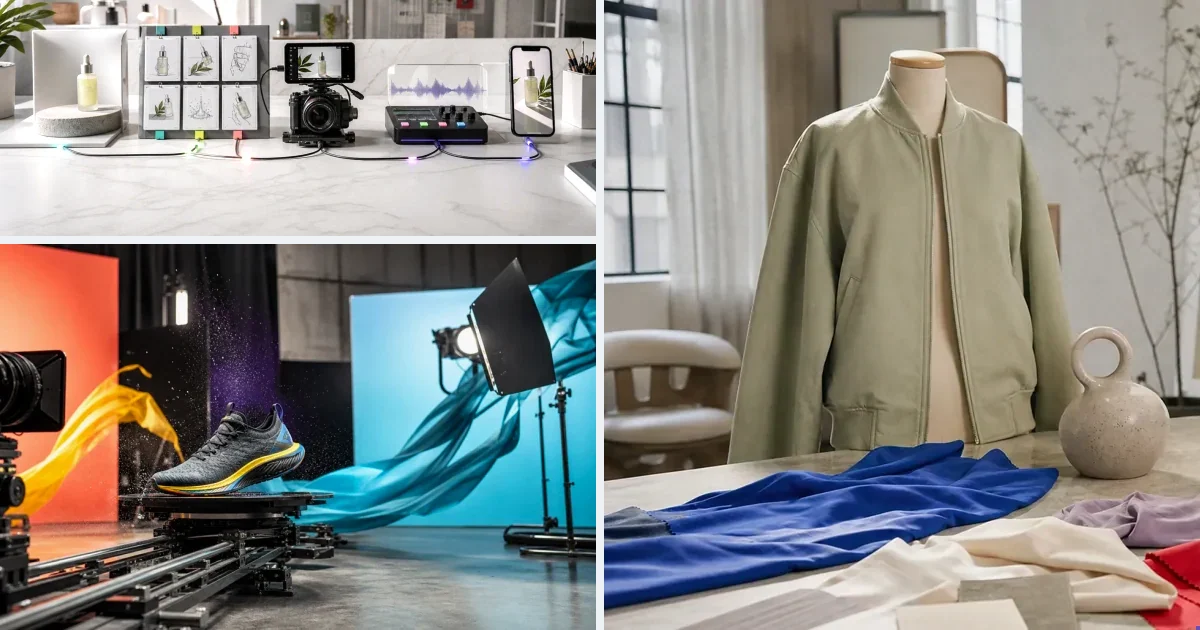
Five variants due Thursday, editor backed up, brief unwritten — production speed, not budget, is the bottleneck. AI workflow automation fixes it by connecting product data, generation models and assets into a repeatable pipeline: one setup produces ads across SKUs and clients instead of restarting per video. This piece covers what real automation looks like (versus a prompt box with presets), the pieces worth automating first, and how v4v's workflow builder handles rerun-across-products.
If you run paid social for a DTC brand or manage creative for multiple clients, the bottleneck is rarely budget. It's production speed. You need five new ad variants by Thursday. Your editor is backed up. The brief isn't written. And the last tool you tried made you rebuild every asset from scratch each time.
AI workflows fix the production side of that problem — not by generating generic clips, but by connecting product data, models, and assets into a repeatable system that outputs finished vertical ads. This article covers how that works in 2026, what to look for in an automated video production setup, and where the current tools actually differ.
Why Manual Video Production Slows Ad Testing
Ad testing velocity is the core variable in paid social performance. More creative variants means faster signal on what converts. The problem is that traditional video production doesn't scale with testing cadence.
A single product video ad involves a brief, a script, sourcing footage or a creator, editing, captioning, and format conversion. Even with a lean team, that's a multi-day cycle per variant. At $5,000 to $100,000 in monthly ad spend, running the same three creatives for three weeks while production catches up is not an option.
Manual production also resets every time. New product, new brief. New campaign, new assets. Nothing carries over. That's the real cost — not the editor's hourly rate, but the compounding delay across every iteration.
What AI Workflow Automation Actually Means
Automation in video production doesn't mean pressing one button and walking away. It means removing the steps that don't require human judgment.
Steps that don't require judgment: extracting product data, formatting a brief, selecting output dimensions, applying a consistent style, attaching previously approved assets. Steps that do: choosing the creative angle, approving the hook, deciding which variant to scale.
A good AI workflow handles the first list automatically. You stay focused on the second.
The practical result: your first generation starts from a real creative brief, not a blank canvas. Your second generation reuses the same product, avatar, and style without rebuilding. By the tenth, you're shipping in minutes.
The Three Layers of Automated Product Video Production
Layer 1: URL-to-Ad — Automated Brief Generation
The most time-consuming part of video production isn't editing. It's the brief. Writing product descriptions, defining the hook, specifying tone, selecting formats — that's where most production time disappears before a single frame is generated.
URL-to-ad automation removes that step. Paste a product link. The system pulls product data, builds a creative brief, and connects avatars, styles, and assets. Generation starts from structured inputs, not a blank prompt.
v4v's product video ad tool works exactly this way. Paste your product URL, and the platform extracts what it needs, attaches your chosen avatar and style, and runs the generation. Output is 9:16, 720p — formatted for TikTok, Instagram Reels, and Meta feeds without post-processing.
This is the entry point for automation. You don't need to know which model to run or how to write a generation prompt. The brief builds itself.
Layer 2: AI Lab — Direct Model Control
URL-to-ad handles the standard workflow. But sometimes you need to go deeper — generate a specific image with GPT-image-2, run a lip sync pass with Kling AI Avatar, translate a finished video into Spanish with HeyGen v2, or add a custom music track with Suno.
The AI Lab gives you direct access to individual models without switching tools. Image, video, sound, translation, and editing models all run in one workspace. Pick the model, set the inputs, run it.
This layer matters for agencies and creators who need precise control over specific production steps, and for multi-step creatives that the URL-to-ad workflow doesn't cover end-to-end.
Layer 3: Workflow Builder — Repeatable Production Pipelines
The highest level of automation is a reusable pipeline. You define the steps once — brief, model, style, output — and run the same logic across every new product or client SKU.
The Workflow builder is built for this. Construct a pipeline, save it, run it again. For agencies managing 3 to 10 brand clients, one workflow delivers ads for every client SKU without rebuilding the production logic each time.
This is where automation compounds. The first workflow takes time to configure. Every run after that is faster than starting from scratch.
What a Persistent Creative System Changes
Most AI video tools treat every generation as independent. New session, new inputs, new setup. That works for one-off projects. It breaks down when you're iterating across a product catalog or testing multiple creative angles for the same SKU.
A persistent creative system keeps products, avatars, styles, and assets connected across sessions. You build the components once. Every iteration pulls from what already exists.
The practical difference: testing a new hook on an existing product takes minutes. Swapping an avatar across five ad variants doesn't require re-uploading assets. Adding a new product to an existing workflow doesn't reset your style configuration.
For DTC brands running ongoing paid social, this is a structural advantage. You're not rebuilding every ad from scratch. You're iterating on a system that already knows your product.
How the Model Stack Fits Into Automation
Automated production is only as good as the models running inside it. A workflow that outputs low-quality video isn't saving you time — it's producing assets you can't use.
A production-grade automated system needs current-generation video models, image generation and editing, music, voice, and translation. In 2026, the benchmark models for paid social video are Seedance 2.0, Kling 3.0, and Veo 3.1 for video generation. GPT-image-2 and Nano-banana 2 for image work. Suno for music. HeyGen v2 for translation across 175-plus languages. Kling AI Avatar for lip sync.
v4v runs all of these in one workspace. No switching between RunwayML for video, a separate tool for music, and another for translation. The full stack runs inside the same environment where your product data and assets already live.
That matters specifically for automation. A workflow that requires exporting from one tool and importing into another isn't fully automated — it's semi-automated with manual handoffs in between.
What Automation Costs in 2026
Cost per ad is the metric that makes or breaks automation at scale. If automated video costs more per unit than a freelance editor, the case for it weakens fast.
Here's the math on v4v's pricing. Credit packs start at $7 for 1,000 credits. An 8-second video using Seedance 2.0 costs approximately 349 credits — roughly $2.44 at entry-level pricing ($0.007 per credit). At the $300 pack, it drops further.
| Pack | Credits | Cost per Credit | Cost per 8-sec Video |
|---|---|---|---|
| $7 | 1,000 | $0.00700 | ~$2.44 |
| $35 | 5,100 | $0.00686 | ~$2.39 |
| $70 | 10,500 | $0.00667 | ~$2.33 |
| $300 | 50,000 | $0.00600 | ~$2.09 |
No subscription. No credit expiry. Top up once and spend as you go.
Compare that to a freelance video editor at $50 to $150 per ad, or a UGC creator at $150 to $500 per deliverable. At $2.44 per generation, you can test 20 creative variants for the cost of one freelance ad. The economics of ad testing shift considerably.
Where Most Automated Video Tools Fall Short
Knowing where competing tools break down helps you evaluate what you actually need.
Creatify offers product URL analysis and a large actor library, but the credit system creates unpredictability. Credits expire every two months. Quality videos on the Starter plan can run $8 to $15 each. There's no persistent creative system — products and assets don't carry across sessions. You're generating from templates, not iterating on a connected creative setup.
HeyGen is strong on avatar video and translation, but its unlimited plans carry hidden limits on Avatar IV usage, with premium credits charged beyond the monthly allocation. It's built for business communication, not product advertising workflows.
Synthesia is designed for corporate training and internal communications. The production logic doesn't map to paid social ad creation.
InVideo AI accesses premium models including Veo 3.1, but there's no product-specific workflow — no URL extraction, no persistent assets. You're working from a general text-to-video prompt, not a brief built from your product data.
RunwayML gives you direct model access and strong video quality, but it's a generation tool, not a production workflow. No brief automation, no persistent creative system, no paid social output optimization.
The gap across all of them: none fully automate the brief-building step, and none maintain a persistent creative system across sessions. That's where the actual production time lives.
Paste a product link. The brief builds itself.
Generate product videos, UGC-style ads and hooks in about 5 minutes.
Try v4vFrom $7 · no subscription, ever · credits never expire
FAQs
What does it mean to automate product video production?
It means removing the manual steps that don't require creative judgment — extracting product data, writing a brief, formatting output, attaching assets — so you can focus on the decisions that actually affect performance.
How does URL-to-ad automation work?
Paste a product link. The platform pulls product data, builds a creative brief, and connects your chosen avatars, styles, and assets. Generation starts from structured inputs rather than a blank prompt.
What is a persistent creative system in video production?
It keeps your products, avatars, styles, and assets connected across sessions. When you generate a new variant or test a new hook, you pull from existing components instead of rebuilding from scratch each time.
How much does automated AI video production cost per ad?
On v4v, an 8-second video using Seedance 2.0 costs approximately 349 credits — roughly $2.44 at entry-level pricing ($7 for 1,000 credits). No subscription required.
What models should an automated video production system include?
For paid social in 2026, look for current-generation video models (Seedance 2.0, Kling 3.0, Veo 3.1), image generation and editing, music generation (Suno), text-to-voice, lip sync, and multi-language translation — all running in one workspace without manual handoffs between tools.
Can AI workflows replace a video editor for paid social ads?
For performance-focused paid social — 9:16 vertical video, product hooks, UGC-style formats — AI workflows handle the production layer. The creative decisions stay with you: which angle to test, which hook to scale, which variant to pause.
What's the difference between an AI Lab and a Workflow builder?
The AI Lab gives you direct control over individual models — run a specific image model, translate a video, add music. The Workflow builder lets you chain those steps into a reusable pipeline that runs the same production logic across multiple products or clients.
Published June 12, 2026 · facts as of publication.